I'm an ARMY with a database
I've been a BTS fan for a long time, following the music, the solo work and the things they do outside of music, and the more I explored, the more frustrated I got with how scattered everything was. Wikipedia is shallow. Streaming platforms only surface what's charting now. Fan wikis are exhaustive but chaotic. Nothing felt designed.
I wanted a single place that treated BTS's decade of work the way it deserved: organized, searchable, beautiful, data-rich. So I built it.
The landing page had to feel like a concert
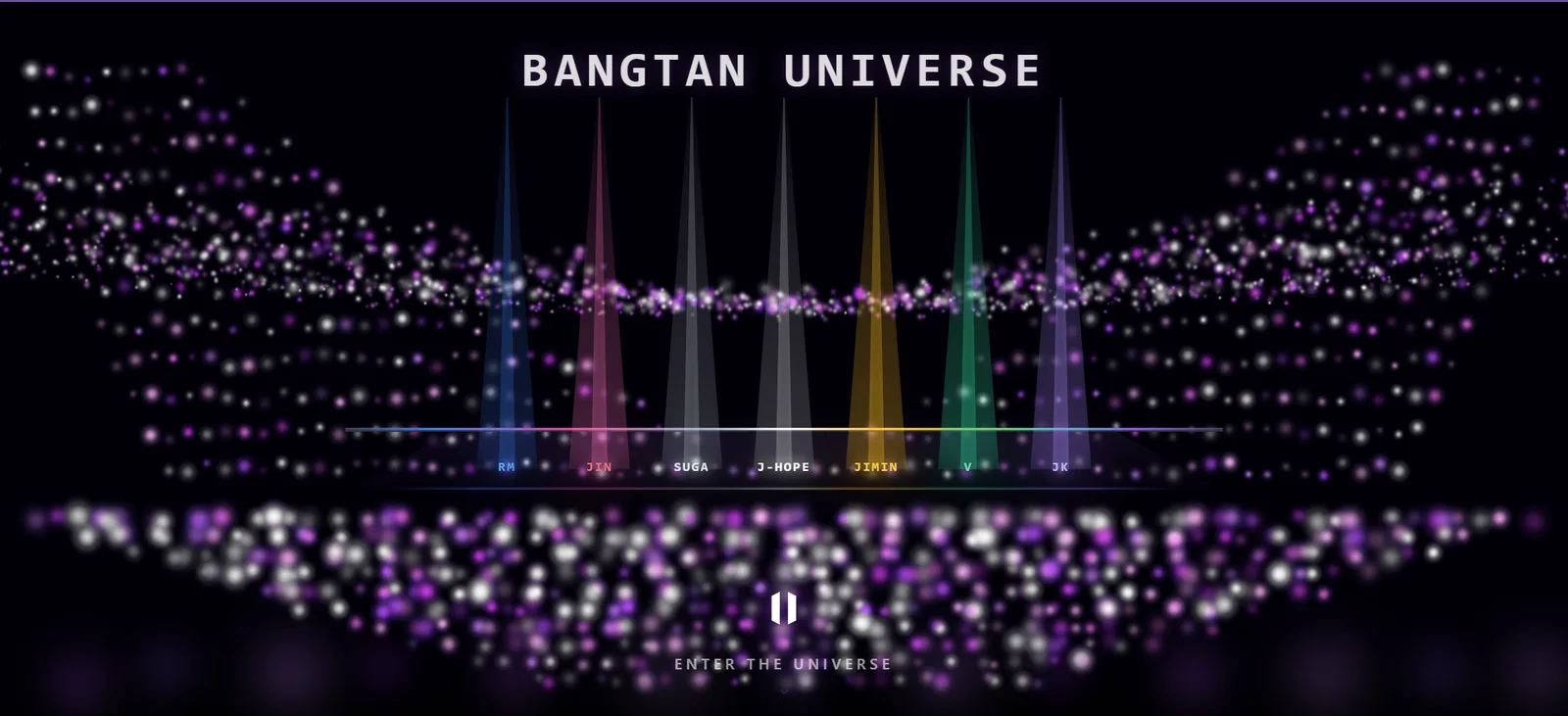
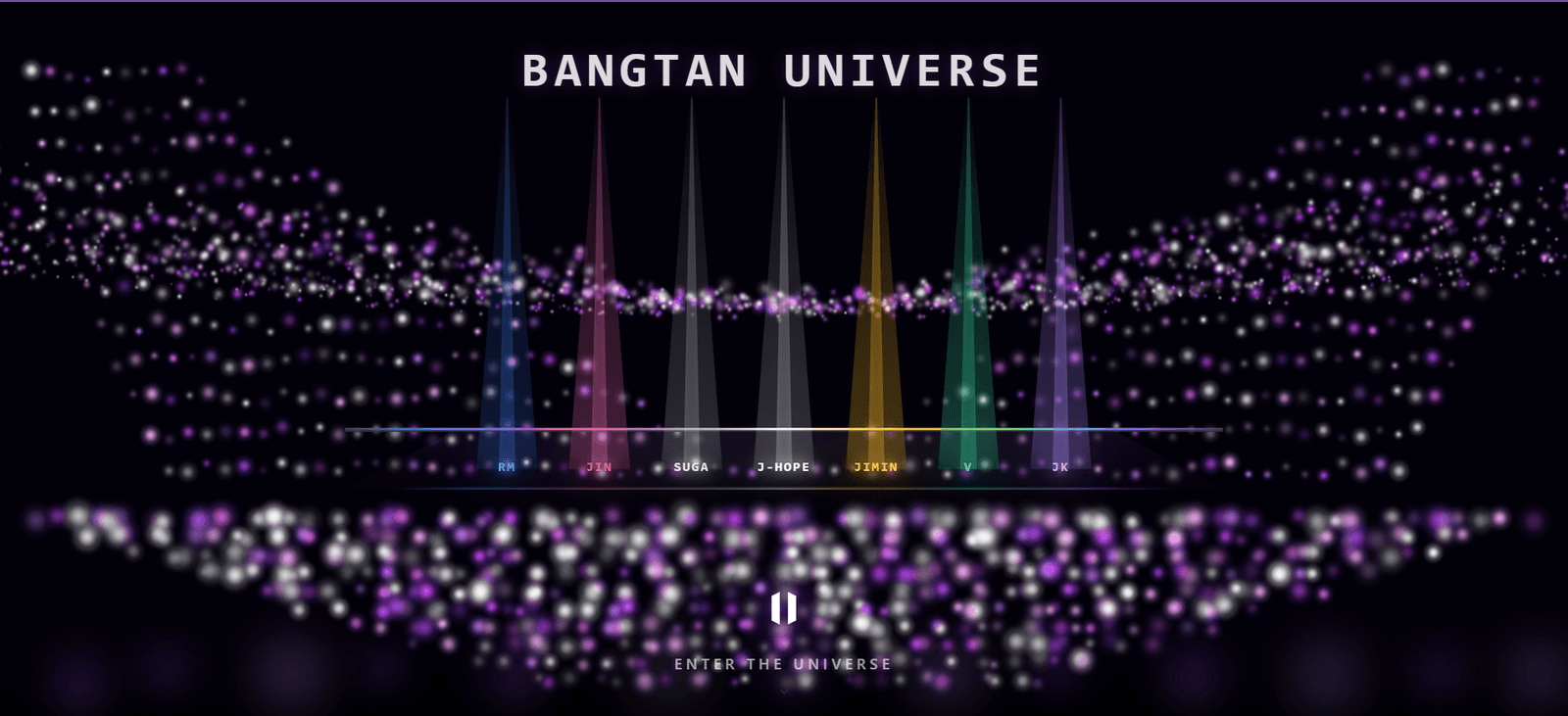
BTS concerts are defined by one image: stadiums filled with purple ARMY bombs, a sea of light. The landing page is built around that. A dark full-screen field of purple and pink particle bokeh, with seven colored spotlight beams rising from a stage line, one per member, each in their official signature color. For ARMY, the colors are immediately recognizable. For a new listener, it's a first signal that this wasn't thrown together.
That color system runs through the entire site. Every member has a signature color, stored in the database as mic_color, that becomes the accent on their profile page, their bar in the analytics charts, their dot on the member grid. The result is seven distinct visual identities held together by one consistent system.
Information architecture decisions
The top-level sections (Discography, Members, Analytics, Awards, Tours, Media, Search) aren't arbitrary. Each one represents a distinct mental model for how someone navigates a music catalog.
Some fans organize their knowledge by member. They want to know everything RM has made, from BTS tracks to mixtapes to solo albums, in one place. The Members section is built for that. Some fans think in eras: they want to see everything from the HYYH period, across albums and concerts and documentaries. Some fans come to discover or rediscover the music itself, filtering by mood or audio quality. The IA has to accommodate all of these without making any one of them feel like an afterthought.
Using fan-native vocabulary in the navigation makes the IA immediately legible to the target audience without any explanation.
The era classification system was one of the most deliberate decisions in the whole project. I could have classified albums by release year, or by chart performance, or by production team. I didn't, because none of those map to how ARMY actually talks about the music. BTS's eras (HYYH, Wings, Love Yourself, Map of the Soul) are defined by thematic and artistic shifts, and those are the categories fans already use in every conversation about the discography. If you're an ARMY and you see "HYYH era" as a filter, you know exactly what that means.
The member profile page structure follows a specific order: personal context first, then artistic output. Bio and background come before solo discography, which comes before group contributions, which comes before production credits. A profile page that led with a discography table would feel like a Wikipedia entry. One that leads with a bio reads like a proper profile.
One deliberate choice: global chart positions and streaming numbers are not primary content anywhere on the site. Those metrics answer one question (how commercially successful was this) and it's not the most interesting question. I wanted the site to surface what the music actually is, its audio characteristics, its lyrical themes, its place in BTS's artistic arc, rather than how it performed on Billboard.
The data model behind the catalog
This is where most of the work actually happened. The site reads from a Cloudflare D1 catalog of 11 tables through a small read-only Worker, with a full JSON snapshot as a fallback, covering everything BTS has ever made or done.
The songs table is the core. Each row stores not just title and album, but BPM, energy, valence, danceability, acousticness, sentiment classification, writers, producers, member credits, lyrics in Korean/English/Romanized, music video URL, and whether it's a solo, collab, or group track. The five audio features were curated by hand from public sources (Spotify, SongBPM, Tunebat, Wikipedia) rather than pulled live from an API, so the schema stays honest about songs whose numbers I couldn't verify. Lyrics came from the Genius API and discography from MusicBrainz, cleaned and reconciled across different romanization standards.
The members table is similarly detailed: bio, birth info, height, MBTI, education, enlistment and discharge dates, solo debut date, KOMCA credits, producer credits, writer credits, achievements, featured tracks. Everything needed to build a proper profile page without hitting an external API at render time.
Getting all of this into a consistent schema required significant scraping and cleaning work. Fan data sources use different romanizations, different album version naming conventions, missing fields for older releases. The cleaning process was longer than the UI work.
Data pipeline
Genius API
Lyrics
KR / EN / Romanized, reconciled
MusicBrainz · Setlist.fm
Discography + setlists
Albums, releases, concert setlists
Cloudflare D1 · 11 tables
Relational catalogue
songs · albums · members · solo_albums · lyrics · awards · chart_entries · concerts · collaborations · member_events · media
Recharts scatter
Mood Quadrant
energy × valence, one dot per song with verified audio features
Fuse.js + cosine
Fuzzy search + similar songs
5-feature cosine vector, text fallback when audio is sparse
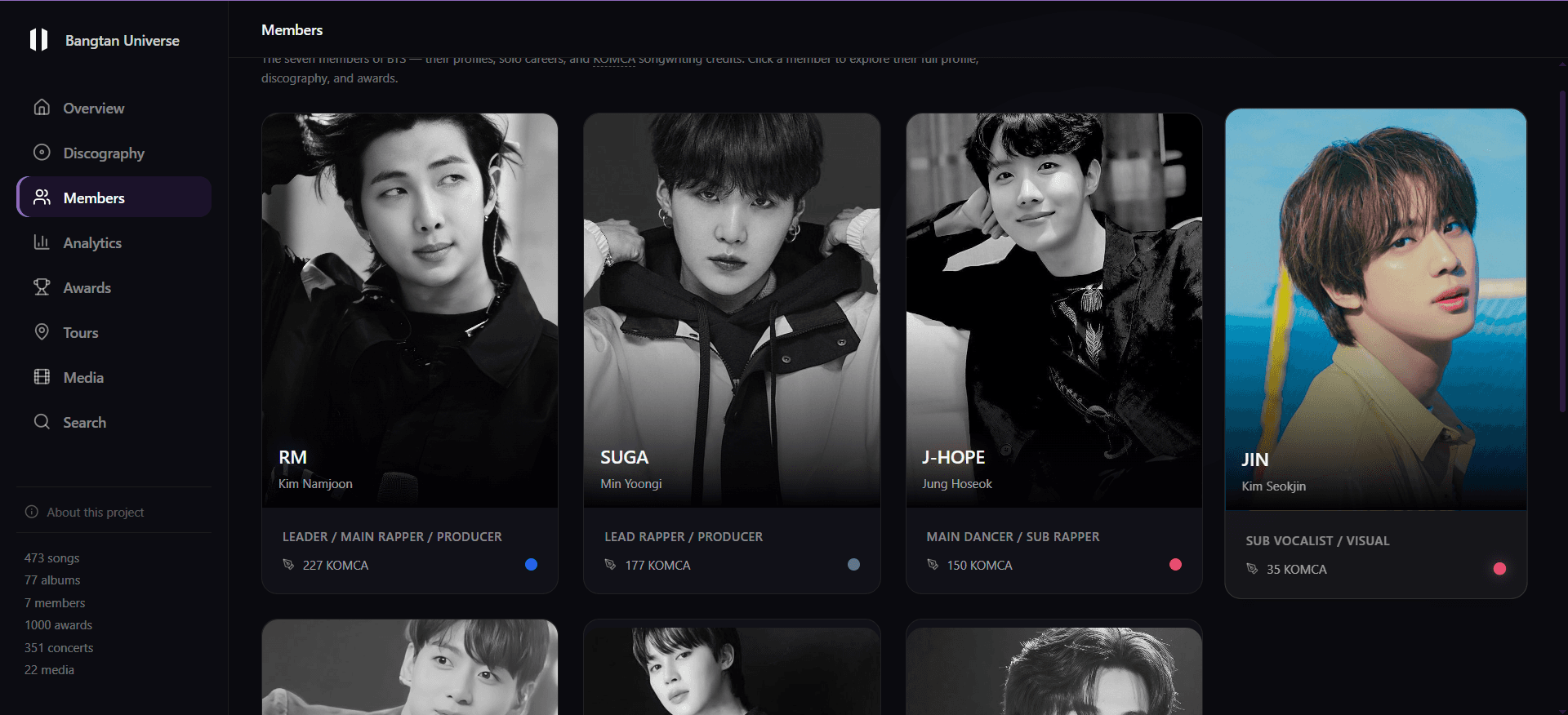
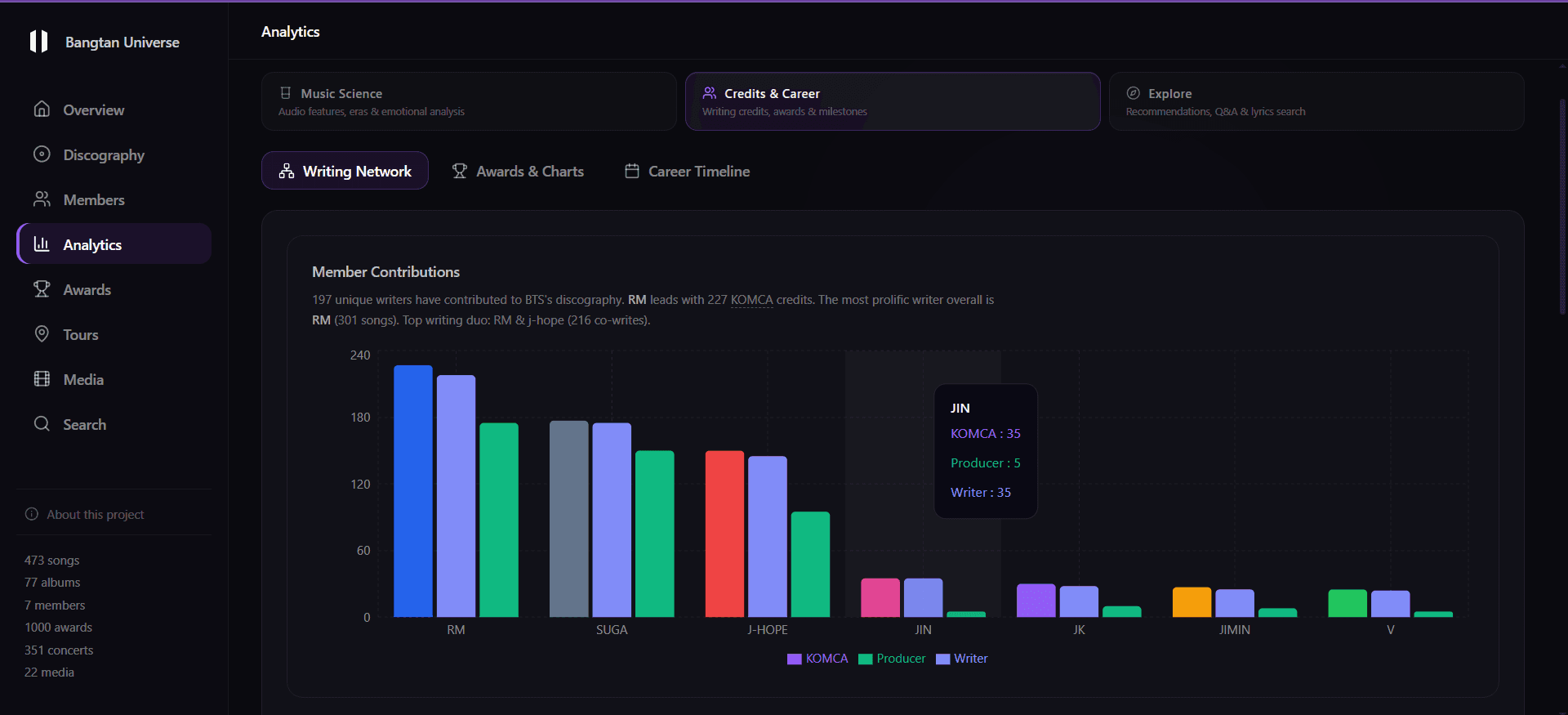
What the catalog looks like when it's organized
The overview dashboard shows the scope immediately. When I took these screenshots it counted 473 songs, 77 albums, and 351 concerts across 29 countries with more than 37 million total attendance, and the catalog has grown since then, which the dashboard picks up on its own because it computes each number from the data rather than from a hardcoded stat.
The Analytics section is where the audio data gets interesting. A Mood Quadrant plots songs on energy vs. valence axes. I colored the dots by sentiment so you can see where the happy and sad songs sit on those axes. Only 57 songs have audio features I could verify so far, so the quadrant shows a curated slice of the catalog rather than all of it.
The Search page runs Fuse.js fuzzy matching client-side (with an optional semantic search API when it's configured) and includes a mood-based discovery mode. Filter by Happy, Sad, Energetic, Calm, Romantic, or Motivational and get ranked song recommendations with live audio feature previews.
The data visualization design choices
Multilingual content introduced a real typographic design problem. Korean, English, and Romanized Korean have different character shapes, different line-height requirements, and different conventions for "readable at body size." Korean Hangul is square-block script that needs more vertical breathing room than Latin characters. I settled on three stacked text blocks with clear label hierarchy (Korean first, Romanized below it in a slightly lighter weight, English translation last) with enough line-height in each block that the scripts don't feel compressed against each other.
The "similar songs" feature scores by audio feature proximity rather than collaborative filtering. That was partly a constraint (with a catalog of a few hundred songs and no actual user play data, collaborative filtering has nothing to train on) and partly a design choice. Audio feature similarity is objective and already interesting. The result is that recommendations sometimes surface obscure deep cuts that share an energy profile with a more popular track. That's more useful than "other people who liked this also liked that," which usually just returns other popular songs.
What's still unfinished
More than any other project I've worked on, this one exists purely because I wanted it to, with no assignment, brief, or client behind it. That's why the data model got as detailed as it did, since I already knew what information a fan would want.
It's still being built, and the hard part now is data: most songs don't have audio features I can verify yet, and every new release means another round of cleaning. I'm fine with that, because I'd rather leave a blank than invent a number.